Now available for every MTI title

Digital Scripts & Piano/Vocal Scores, alongside your printed materials.

Give your whole cast and crew immediate access.

Tony Souza
“We check that box every time — the script’s there the moment we license.”Tony Souza, Managing Director · Way Way Off Broadway
MTI’s exclusive digital delivery partner Used by 145,000 show people and counting

Works on any device. Easy for everyone.

Runs on the laptops, tablets and phones your cast and crew already have, and it’s simple enough for anyone to pick up.

And when you’re ready, there’s more included

Never say “What did we do last rehearsal?” again.

01 · Shared notes

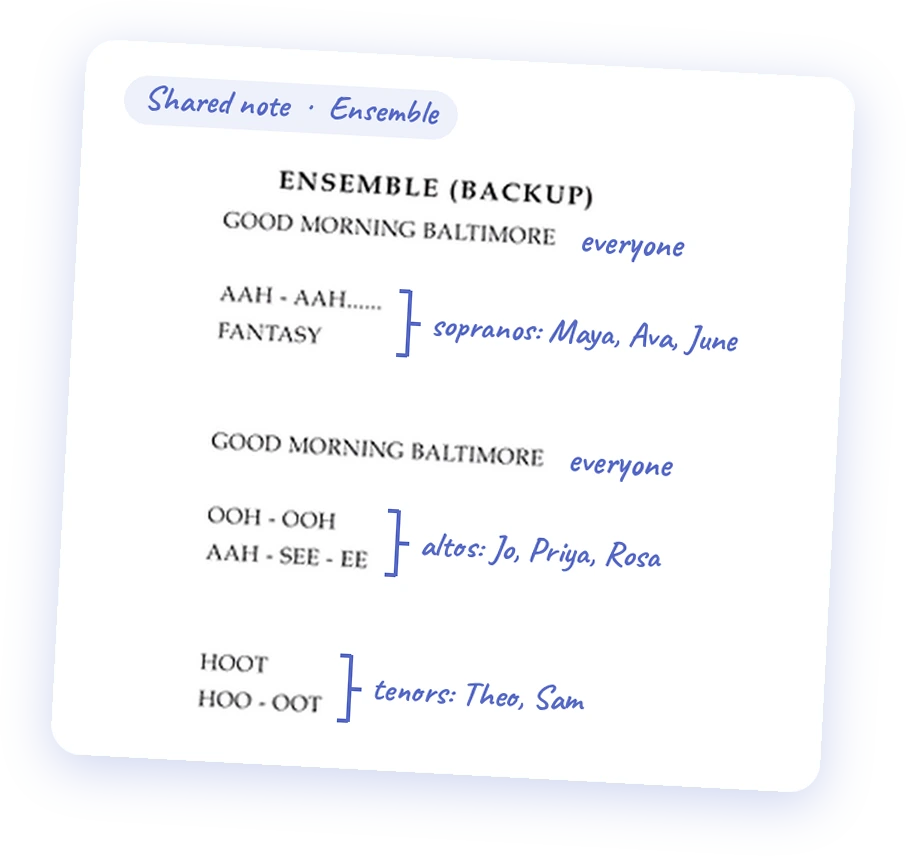
Give a note once. It’s on everyone’s script, right beside their own notes.

  1. 1Write the note right on the script or Piano/Vocal Score page.
  2. 2Choose who sees it: everyone, a group, specific people, or just you.
  3. 3It’s on their pages straight away, right beside their own notes. Nobody asks what changed.
“Everybody has the information all at the same time.”

Rebecca WattsRebecca WattsAssistant Music Director · Singnasium Productions
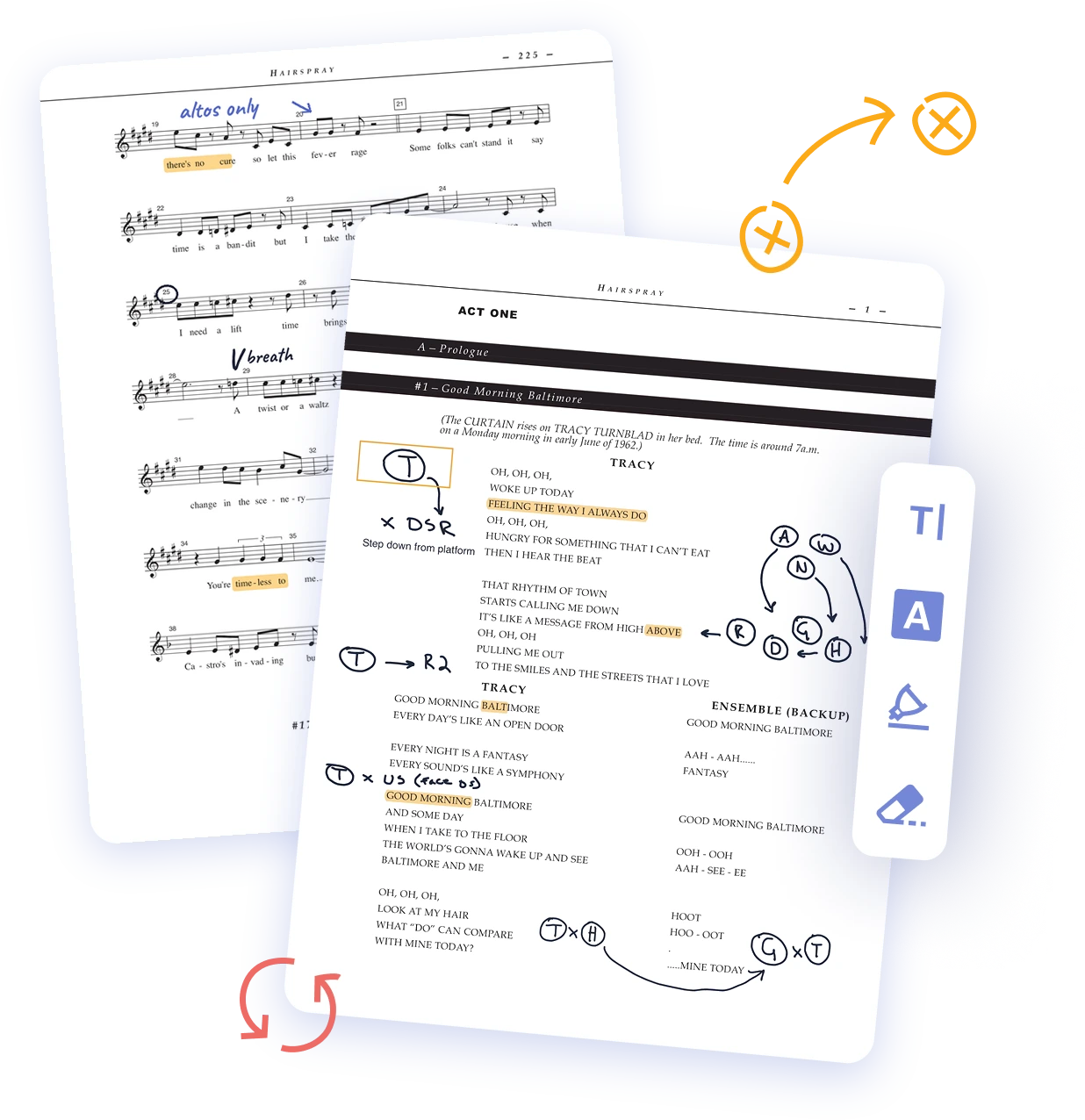
An annotated Hairspray script page in ProductionPro, in front of an annotated Piano/Vocal Score page, with the annotation toolbar
The Ensemble (Backup) lines of a Hairspray script page with handwritten part assignments as a shared note: everyone, sopranos, altos and tenors with first names
02 · Lines, assigned once

Assign lines and vocal parts once. Everyone finds theirs.

  1. 1Find the lines the script gives to “Ensemble” or “All.”
  2. 2Write in who says or sings each one, once, as a shared note.
  3. 3Every actor finds their own lines and harmonies.
“Penciling in who’s actually saying those lines… so that the next time we come to that page, I’m not going, who is that again?”

Melanie NeumannMelanie NeumannDirector · St. Croix Central High School
03 · Rehearse at home

Rehearse at home, arrive ready.

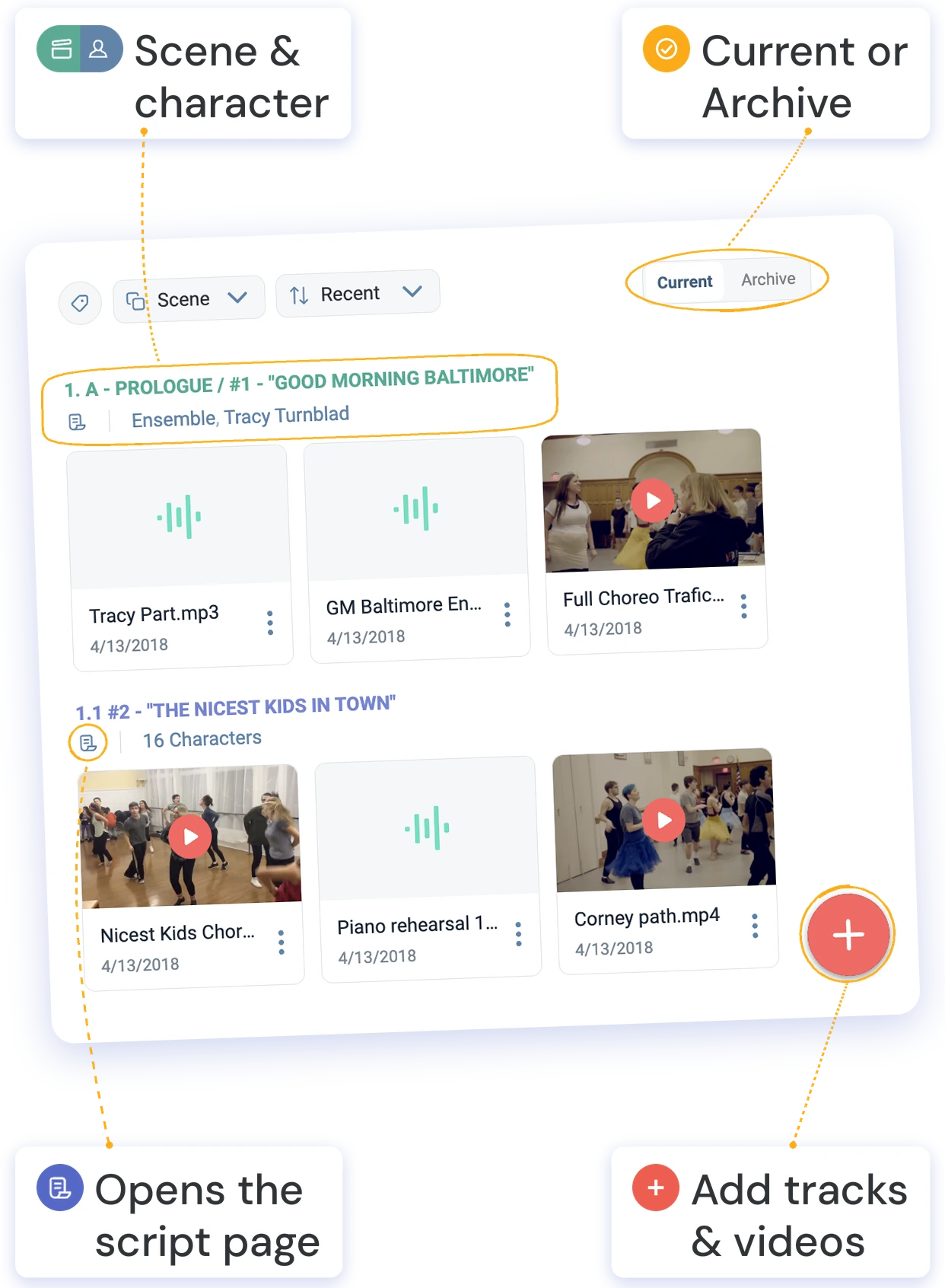
  1. 1Add rehearsal tracks and choreography videos.
  2. 2Link each one to its scene and its characters.
  3. 3Your cast finds every track and video in seconds, right where it connects to their scene, their character and your notes.
“You can tell when the kids have been practicing at home, because you see it in rehearsal.”

Quincy StarnesQuincy StarnesTheatre Department Chair · Bay Area Arts Conservatory
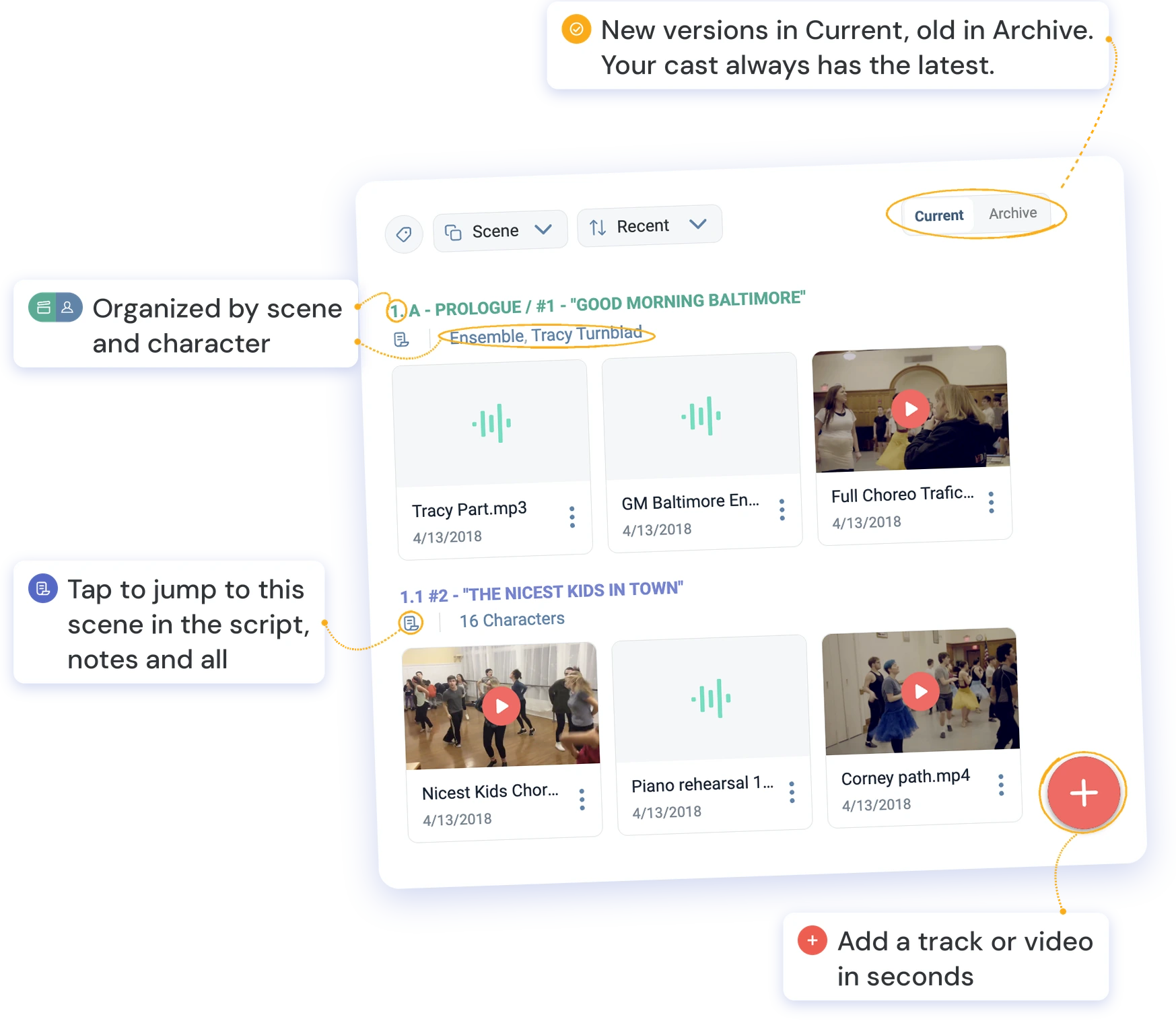
ProductionPro’s Media Library for Hairspray with four callouts: organized by scene and character; tap to jump to this scene in the script, notes and all; add a track or video in seconds; new versions in Current, old in Archive, so your cast always has the latest ProductionPro’s Media Library for Hairspray with four short tags: Scene & character, Current or Archive, Opens the script page, Add tracks & videos

What’s included

All your rehearsal materials, in one place for everyone

Digital Script & Piano/Vocal Score

Your show’s materials, delivered digitally to everyone in your production.

Production binder

Add your calendars, rehearsal schedules and any other documents, so the whole production finds them next to the script.

Shared notes

Share notes with the team. Keep private ones to yourself.

Scene & character breakdown

Jump straight to any scene or character’s pages and media.

Media library

Add rehearsal tracks, choreography videos and reference images, linked to each scene.

Digital Script & Piano/Vocal Score

For everyone in your production

Production binder

Add calendars, schedules and documents

Shared notes

Share with the team, or keep private

Scene & character breakdown

Jump to any scene or character

Media library

Add tracks, videos and reference images

Bonus for every Disney title

Vocal guides, already in your media library: an audio track for every musical number, with the music and a performer singing it as a guide.

Sandy Doebert Tony Souza Ellen Byrne Rebecca Watts Krista Shields Jennifer Withrow Quincy Starnes Melanie Neumann Chris Piner Hannah Finch

Curious how it would work for your show? Hear from directors who’ve used it.

Watch their stories →

How to order Digital Scripts & Piano/Vocal Scores

Add it through the MTI office that licensed your show

One order, one price, for your whole cast and crew. Once it’s processed, access arrives by email.

United States & Canada

$299

Sign in to your MyMTI account or contact your MTI rep.

Add via MyMTI

Europe & UK

£249

Fill in MTI Europe’s order form. Your MTI team sets it up.

MTI Europe order form

Australia & New Zealand

A$399

Opens a pre-filled email to MTI Australasia. Add your details and send.

Email MTI Australasia


Not the one who licensed your show?

Share this with whoever ordered your show from MTI.

Send them this page so they can consider adding it. One order covers your whole cast and crew.

Email them this page
Text it